
The Domain Name System (DNS) and Nameservers for Dummies
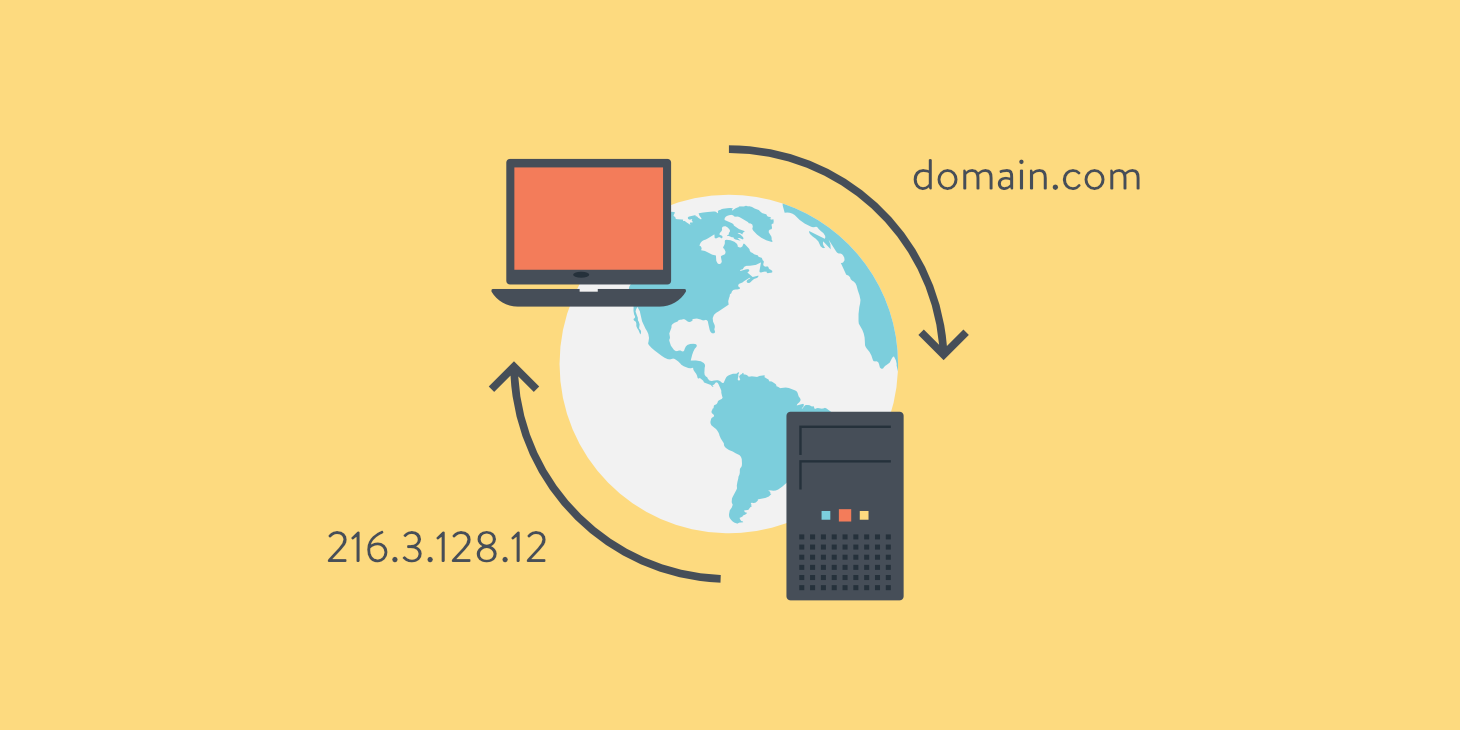
When you hear the term “DNS” your first reaction might be to tune out, because it sounds technical and complicated. The truth is, DNS is something you already use every single time you visit a website, whether you realize it or not. At Tier.Net we believe in keeping things simple, so let’s break it down into a beginner-friendly guide that explains what DNS and nameservers are, why they exist, and how they actually work in practice.
What is the Domain Name System?
The Domain Name System (DNS) is basically the internet’s phonebook. When you want to call a friend, you probably look up their name in your phone, not their ten-digit number. In the same way, DNS allows people to type a website’s name, like www.tier.net, instead of having to remember a long string of numbers called an IP address.
An IP address is like a street address for a computer or server. It tells your browser exactly where to go. But since numbers are hard for humans to remember, DNS was created to translate simple names into those numbers automatically. That way, you only need to remember the name of the website and DNS will handle the rest.
Why is DNS Important?
Before DNS existed, people had to connect computers directly using IP addresses. Imagine if every time you wanted to visit Google you had to type something like 142.250.72.14 instead of just writing “google.com.” That is not very user-friendly.
With DNS, the internet becomes accessible to everyone. It allows you to type in easy-to-remember domain names, while behind the scenes your computer is still using the correct numerical IP address. In other words, DNS bridges the gap between human language and machine language.
So What Exactly Are Nameservers?
DNS works through a network of servers around the world. Some of those servers are called nameservers, and they are what make DNS queries possible. A nameserver’s job is to respond to the question “what is the IP address for this domain?” and then return the answer.
For example, if someone types in www.tier.net, their request travels through the DNS system until it reaches the authoritative nameservers that know exactly where that website lives. Those nameservers provide the IP address, and in just milliseconds your browser connects to the correct server to load the page.
You can even set up your own private nameservers if you want more control. Resellers and advanced users often like to run their own branded nameservers like ns1.yourdomain.com and ns2.yourdomain.com. This usually requires a VPS or a dedicated server, but at Tier.Net we also make it possible to use custom nameserver aliases with standard hosting accounts.
What Happens During a DNS Query?
Let’s walk through the journey step by step so you can see how this works from beginning to end:
1. You open your browser and type in www.tier.net.
2. Your computer sends a request to your internet service provider’s (ISP) DNS servers. These are your local resolvers, and they are often the first step in the chain.
3. If your ISP’s DNS servers do not already know the answer, they send your request further up the hierarchy. Since you are looking for a .net domain, your request is handed over to the .net root nameservers managed by ICANN.
4. The root nameservers do not know the exact answer either, but they know which nameservers are authoritative for the domain tier.net. They direct your query there.
5. The authoritative nameservers for tier.net reply with the exact IP address of the web server hosting the site.
6. That information is sent back down the chain to your computer. Your browser then connects to the right server, and the website loads.
This all happens so quickly that it feels instantaneous. By the time you hit enter, your browser already has the IP address it needs and your website is live on your screen.
Why You Should Care About DNS
For the average website owner, DNS might feel invisible, but it matters a lot. A misconfigured DNS record can take your website offline. Choosing the right nameservers can improve speed and reliability. And for resellers, offering private nameservers can give your hosting business a professional edge.
At the same time, you do not need to be a networking expert to use DNS effectively. Modern hosting platforms like cPanel and WHM give you easy-to-use tools to manage records, point domains to the right servers, and troubleshoot issues without needing to touch command-line code.
Tier.Net Makes DNS Simple
At Tier.Net we have been working with DNS for decades, and we know how overwhelming it can seem if you are just getting started. That is why we provide solutions that fit every type of user. Whether you want to:
-
Launch your first personal website
-
Set up private label nameservers as a reseller
-
Run your own authoritative DNS servers on a VPS or dedicated server
-
Or just troubleshoot a tricky DNS issue
We can help you make it happen.
If you would like to learn more or need help setting up DNS correctly, contact us at www.tier.net for a free consultation. Our experts will make sure your DNS is configured properly so you can focus on growing your website or business without worrying about the technical details.

VPS Hosting
Starting at just $7.49/mo, get virtual private servers with top-tier performance.
Learn MoreShare this article